Apple iCloud
This section describes how to set up SerialMailer to send mass emails through your iCloud account.
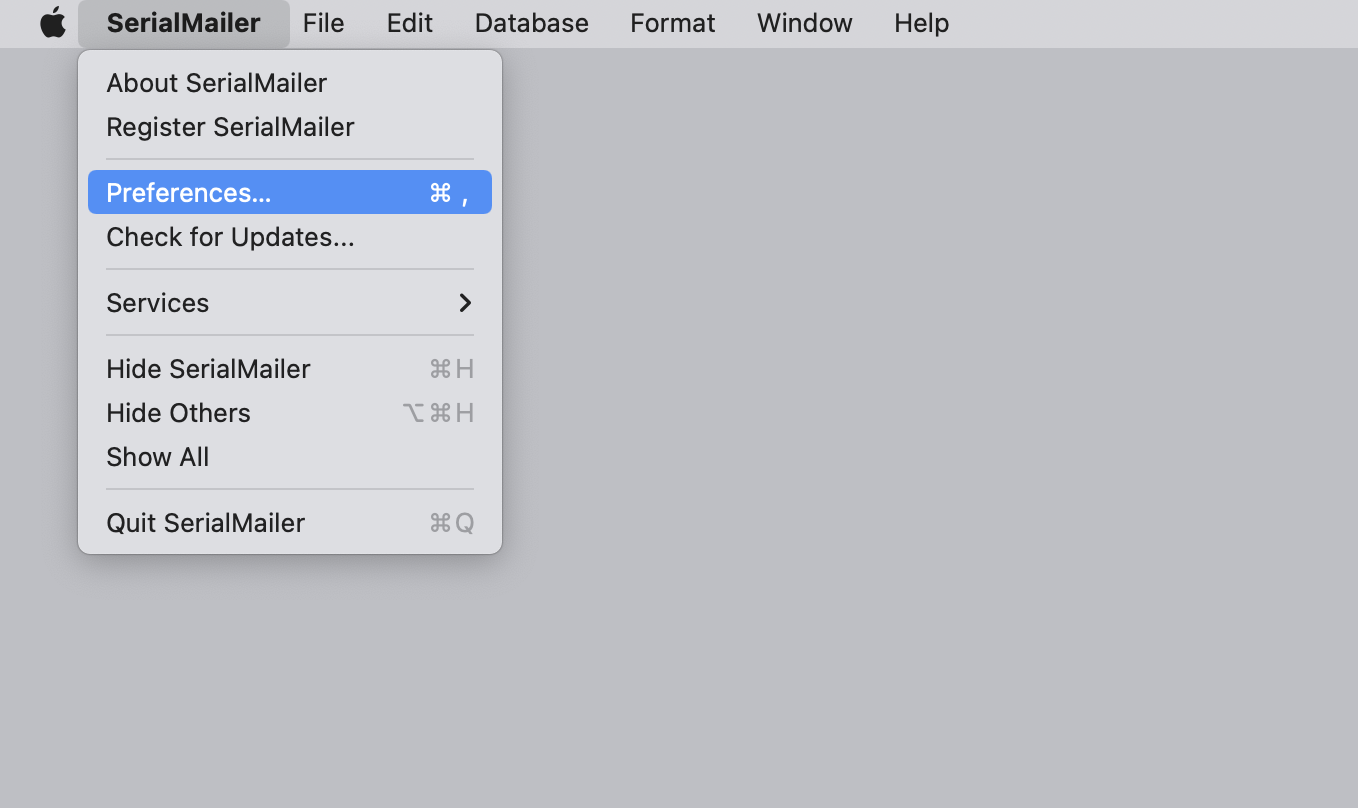
Open the “Preferences” through the “SerialMailer” menu.
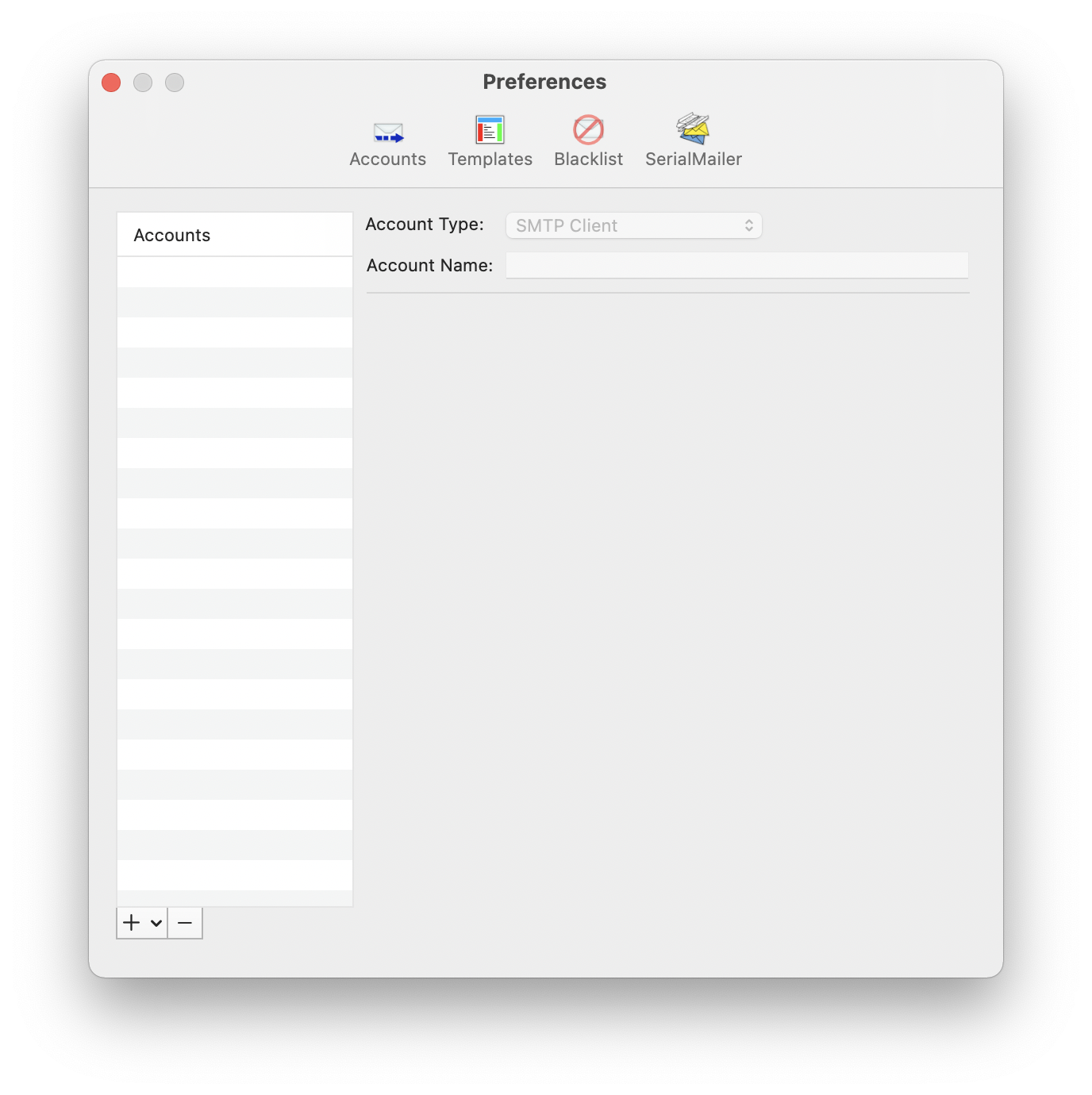
Go to the “Accounts” section.
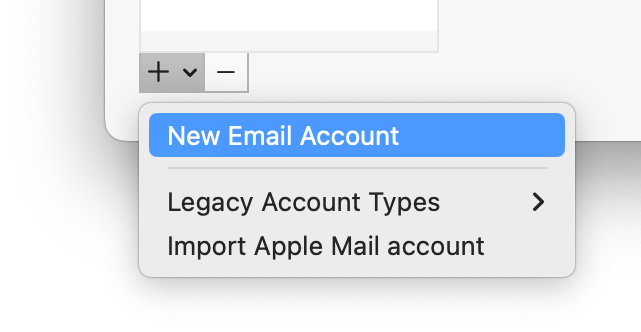
Select “New Email Account” from the plus menu below the accounts list.
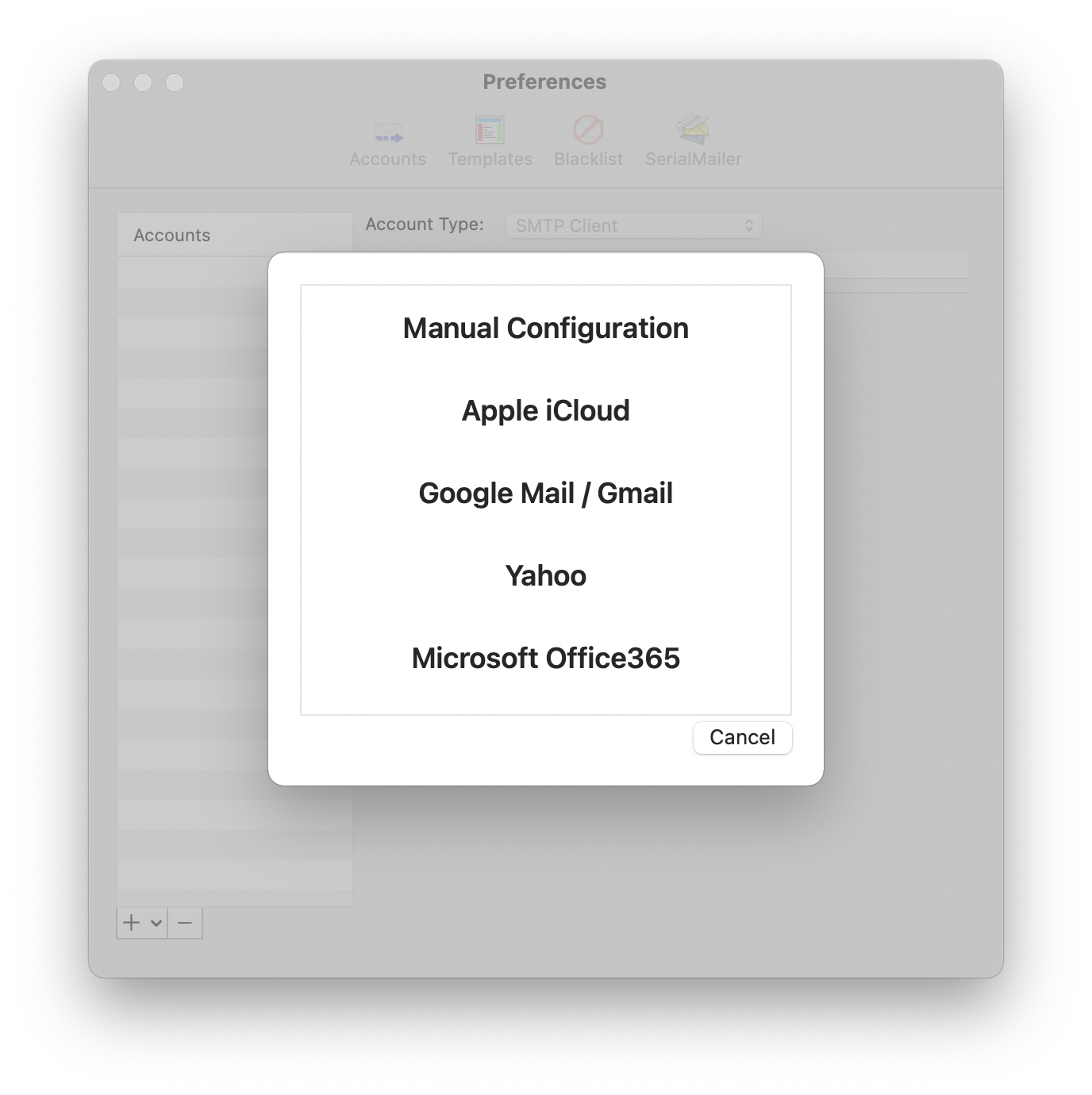
A window will open where you can select presets for some email providers, or use a custom configuration. Choose “Apple iCloud”.
Enter your name and email address in the next window. You will also need to enter an “application-specific password” in the “Password” field. This is not your regular Apple ID password, as Apple does not allow third-party applications to use your main password. Instead, you’ll need to generate a special password specifically for SerialMailer. You can find more information about creating an application-specific password on Apple’s website: https://support.apple.com/HT204397